MLflow serve
This MLflow serve will be used when we want to enable a registered model databricks endpoint. This would only work in databricks ML runtime cluster.
ML runtime cluster
Please only use 11.3 ML runtime cluster, our MLflow version is tied to 1.29.0, which is 11.3 cluster version.

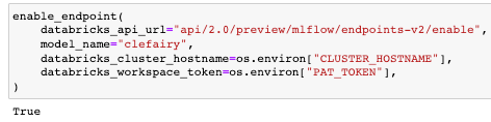
Enable model endpoint
This enable databricks model endpoint of a registered model (any model in Staging or Production tag gets deployed)
A successful response will return a True boolean, and raises an exception otherwise
enable_endpoint(
    databricks_api_url="api/2.0/preview/mlflow/endpoints-v2/enable",
    model_name="clefairy",
    databricks_cluster_hostname=os.environ["CLUSTER_HOSTNAME"],
    databricks_workspace_token=os.environ["PAT_TOKEN"],
)
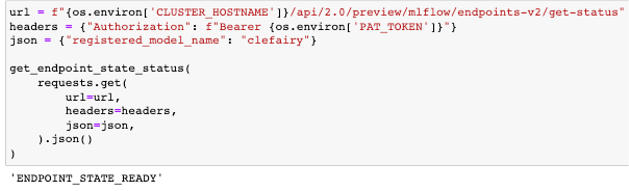
Get endpoint state status
This function returns the state of the databricks model endpoint, example: READY.
A successful response will return a READY string, and raises an exception of NOT_READY otherwise
url = f"{os.environ['CLUSTER_HOSTNAME']}/api/2.0/preview/mlflow/endpoints-v2/get-status"
headers = {"Authorization": f"Bearer {os.environ['PAT_TOKEN']}"}
json = {"registered_model_name": "clefairy"}

get_endpoint_state_status(
    requests.get(
        url=url,
        headers=headers,
        json=json,
    ).json()
)
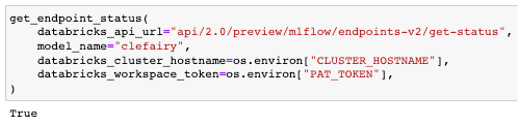
Get endpoint status
This function returns a boolean if databricks model endpoint status is ready
A successful response will return a True boolean, and raises an exception otherwise
get_endpoint_status(
    databricks_api_url="api/2.0/preview/mlflow/endpoints-v2/get-status",
    model_name="clefairy",
    databricks_cluster_hostname=os.environ["CLUSTER_HOSTNAME"],
    databricks_workspace_token=os.environ["PAT_TOKEN"],
)
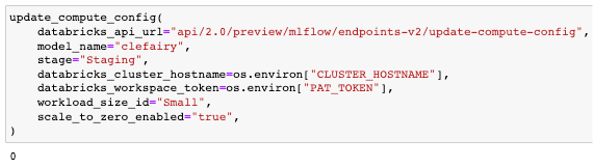
Update compute config
This function update the databricks endpoint compute config of a registered model; cluster size and if it scales to zero
A successful response will return a non zero exit function if successful
update_compute_config(
    databricks_api_url="api/2.0/preview/mlflow/endpoints-v2/update-compute-config",
    model_name="clefairy",
    stage="Staging",
    databricks_cluster_hostname=os.environ["CLUSTER_HOSTNAME"],
    databricks_workspace_token=os.environ["PAT_TOKEN"],
    workload_size_id="Small",
    scale_to_zero_enabled="true",
)